
tcpdump command and options

tcpdump - dump traffic on a network. Tcpdump  prints  out a description of the contents of packets on a network interface that match the boolean expression.

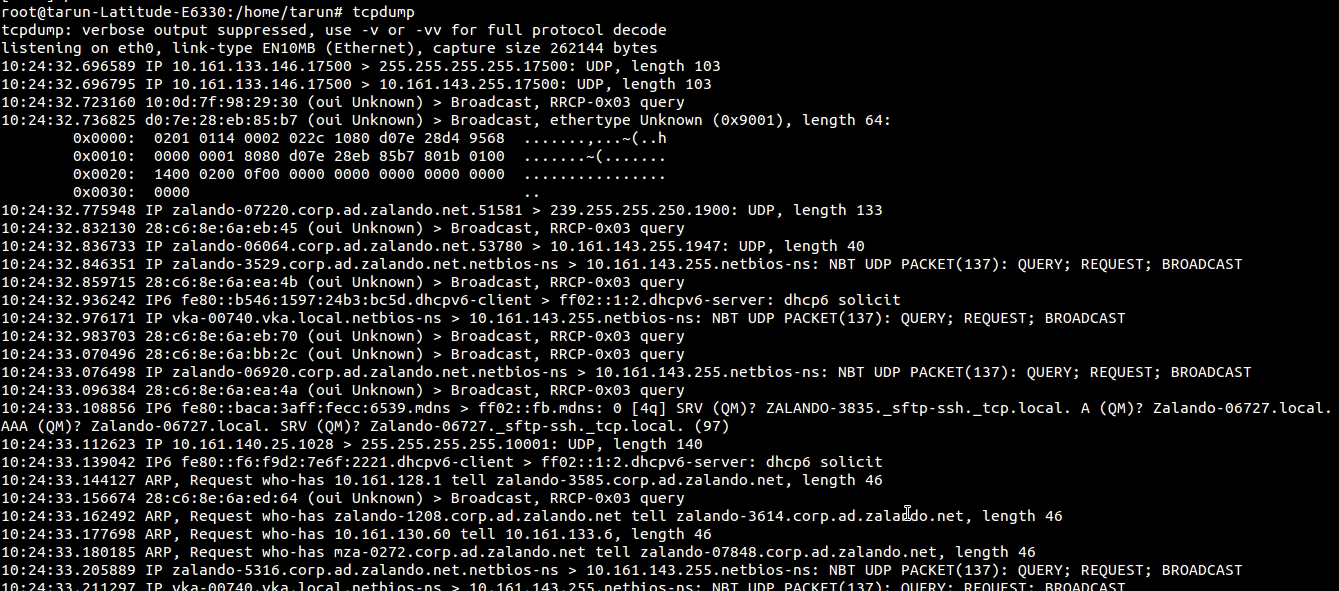
Type the following command:
$tcpdump
tcpdump.png

You need to interrupt the command else it would keep scrolling


OPTIONS
-i interface
--interface=interface Listen on interface.  If unspecified, tcpdump searches the system interface list for the lowest numbered,  configured  up  interface (excluding loopback), which may turn out to be, for example, ``eth0''.
    $tcpdump -i eth0
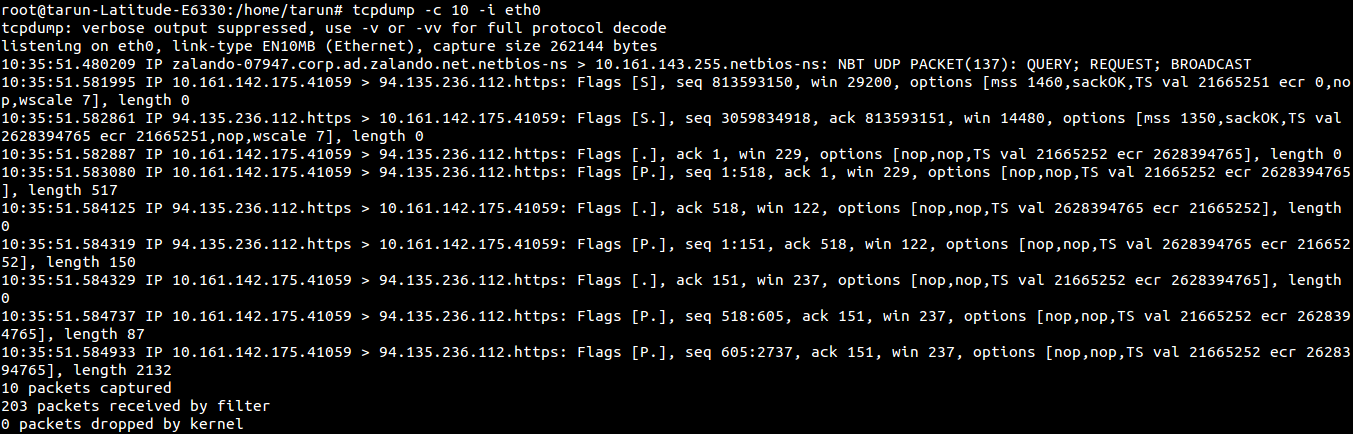
-c count
             Exit after receiving count packets.
$tcpdump -c 30 -i eth0
        Screenshot from 2015-07-23 10:39:04.png
-D
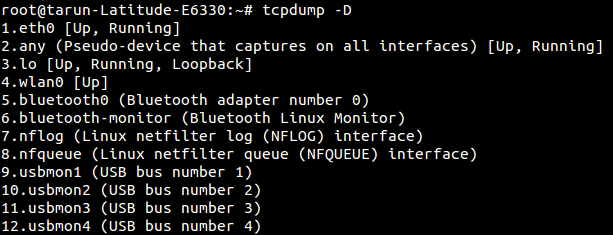
--list-interfaces, prints  the list of the network interfaces available on the system and on which tcpdump can capture packets.  For each network interface, a number and an interface name, possibly followed by a text description of the interface, is printed.  The interface  name  or the number can be supplied to the -i flag to specify an interface on which to capture.
    $tcpdump -D
tcpdump.png
-w file
Write the raw packets to file rather than parsing and printing them out.  They can later be printed with the -r option.
    $tcpdump -w dump01.pcap -c 10 -i eth0

tcpdump.png
and now read the dumped file -
    $tcpdump -r dump01.pcap

tcpdump.png

-n Don't convert addresses (i.e., host addresses, port numbers, etc.) to names.   
    $tcpdump -n

To capture packets from specific port, specify port number -
    $tcpdump -i eth0 port 22
To capture packets from specific source -
    $tcpdump -i eth0 src 192.168.1.1

Popular posts from this blog

Using xPath to reach parent of an element

Note: If you are new to java and selenium then start with selenium java training videos .   I prefer css locator over xPath but there are times when css locators don't fit requirement. One such requirement is when you want to navigate to parent element of an element and may be parent of parent and even more. Unfortunately css locators don't provide any mechanism to navigate to parent of an element. See this for more. Of late I came across a scenario when I wanted to click on a link depending upon the text in a text box. Herein parent of text box and parent of link were at the same location. More over there could have been many such combinations in application. Fortunately I just need to pick first such instance and Web Driver any way considers only first instance when multiple locators are found matching an element. Element in question is in following html - Here I need to click on highlighted anchor on the basis of input element (which is also hig...

Selenium Tutorial: Ant Build for Selenium Java project

Ant is a build tool which could be used to have your tests running either from command line or from Hudson CI tool. There is detailed documentation available for ant here but probably you need to know only a little part of it for you selenium tests. The essentials which are needed to know are: Project Target (ant execution point and collection of tasks) Tasks (could be as simple as compilation) And there would usually be following targets for Selenium tools - setClassPath - so that ant knows where you jar files are loadTestNG - so that you could use testng task in ant and use it to execute testng tests from ant init - created the build file clean - delete the build file compile - compiles the selenium tests run - executes the selenium tests Here is my project set up for ant -

Verify email confirmation using Selenium WebDriver

Note: If you are new to java and selenium then start with selenium java training videos .   How to Verify Email Confirmation Using Selenium 4 and JavaMail (2026 Guide) Email confirmation is a critical part of most registration flows — account activation, password reset, multi-factor authentication, and onboarding. Every automation engineer eventually faces the same challenge: How do you verify an email confirmation link inside a Selenium test without making it slow and flaky? The wrong instinct is to automate Gmail's UI with Selenium. It's fragile, slow, and breaks constantly. The right approach: Use Selenium for browser automation Use JavaMail (IMAP) to read the email directly Extract the confirmation link Continue the test in Selenium Why Not Automate Gmail UI With Selenium? Automating the Gmail UI means logging in, searching, clicking a message, and parsing content from a third-party interface that changes frequently. This leads to: Flaky...