
Structure of test automation project

Note: If you are new to java and selenium then start with selenium java training videos. 
 
Have you come across situation when you did not know where you should keep the test class, page object or any supporting class. I am going to share some of the practices I follow when working on test automation project. Given that I work with java and maven, it solves the problem of the directory structure. Maven project may have many directory but these are the ones I use most -

src/main/java - any non test class, i.e - page object etc
src/main/resources - resources like - properties file, text file etc used by main classes
src/test/java - the test classes
src/test/resources - resources like - properties file, text file etc used by test classes.
target - this directory is created automatically building a maven project and

Let’s focus on src/main/java - this is a directory which contains all of non test code. I usually end up having following structure on src/main/java -

src/main/java
com.google
core
dataobjects
groups
model
navigation
pageobject
util

Hence it looks as -
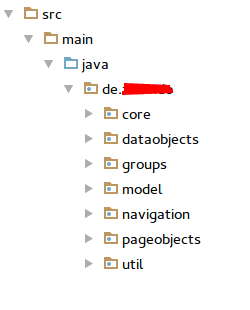
Screenshot from 2016-07-27 10:16:07.png
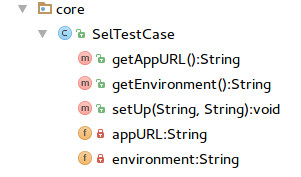
Package core contains SelTestCase class which takes care of setup and teardown. Given that I use STF, I don’t have to set up browser myself and setup method is mere access to application URL, test environment etc
Screenshot from 2016-07-27 10:21:45.png

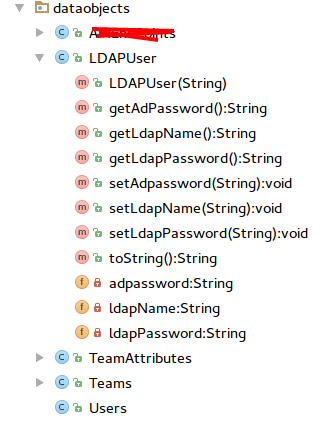
Package dataobjects contains the test data objects used by the test classes -
Screenshot from 2016-07-27 10:32:41.png

Package groups contains TestNG test group. It is set of classes with String constants so that I can easily change the group name by modifying the String constants.

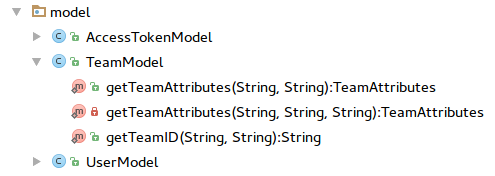
Package model contains the API definition which are used by either test classes or page objects -
Screenshot from 2016-07-27 10:34:56.png

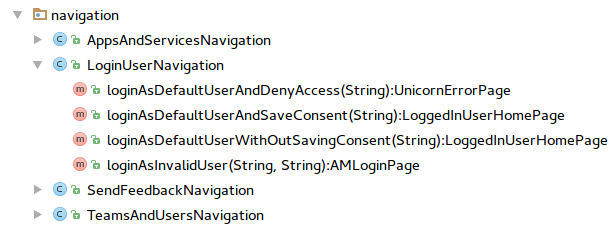
Package navigation contains the Navigation APIs for navigating through application pages. Hence navigation steps don’t have to be repeated in test classes or page objects -
Screenshot from 2016-07-27 10:40:02.png

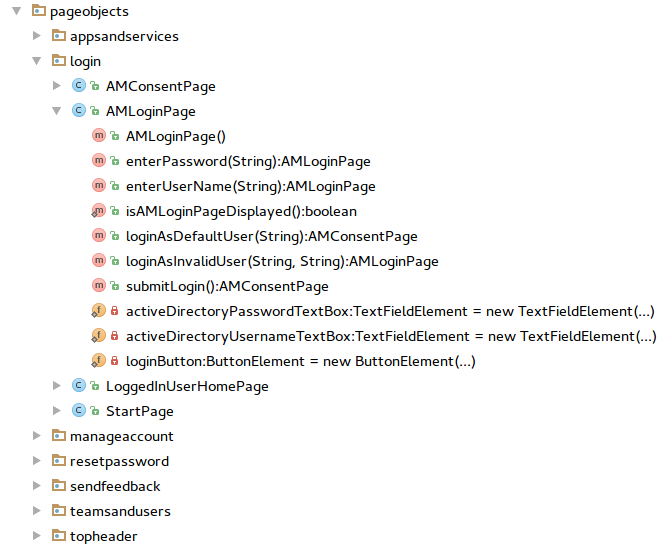
Package pageobject does not need any introduction :-). I further divide pageobject package into application areas for which page objects are to be created -
Screenshot from 2016-07-27 10:45:12.png

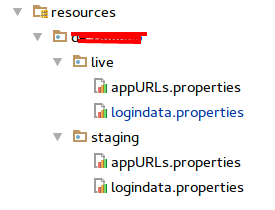
I further divide /resources package into application environment related entities. I set up environment parameter in testng.xml file and depending on the environment corresponding data set is picked up for test run -
Screenshot from 2016-07-27 10:49:45.png

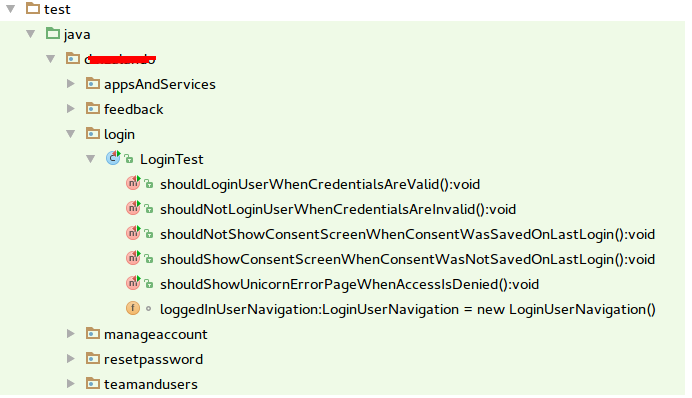
The test package contains the test classes. Like the page object, I created various packages to contain test classes of application area -
Screenshot from 2016-07-27 10:54:30.png

At times I also create util package containing utility classes. Though I would not recommend this approach as util package tends to become dumping ground of unrelated classes. A better approach would be to create dedicated packages for those classes.

This brings us end to this post. What do you think of this package structure? How does your test structure look like?

Popular posts from this blog

Verify email confirmation using Selenium WebDriver

Note: If you are new to java and selenium then start with selenium java training videos .   How to Verify Email Confirmation Using Selenium 4 and JavaMail (2026 Guide) Email confirmation is a critical part of most registration flows — account activation, password reset, multi-factor authentication, and onboarding. Every automation engineer eventually faces the same challenge: How do you verify an email confirmation link inside a Selenium test without making it slow and flaky? The wrong instinct is to automate Gmail's UI with Selenium. It's fragile, slow, and breaks constantly. The right approach: Use Selenium for browser automation Use JavaMail (IMAP) to read the email directly Extract the confirmation link Continue the test in Selenium Why Not Automate Gmail UI With Selenium? Automating the Gmail UI means logging in, searching, clicking a message, and parsing content from a third-party interface that changes frequently. This leads to: Flaky...

Using xPath to reach parent of an element

Note: If you are new to java and selenium then start with selenium java training videos .   I prefer css locator over xPath but there are times when css locators don't fit requirement. One such requirement is when you want to navigate to parent element of an element and may be parent of parent and even more. Unfortunately css locators don't provide any mechanism to navigate to parent of an element. See this for more. Of late I came across a scenario when I wanted to click on a link depending upon the text in a text box. Herein parent of text box and parent of link were at the same location. More over there could have been many such combinations in application. Fortunately I just need to pick first such instance and Web Driver any way considers only first instance when multiple locators are found matching an element. Element in question is in following html - Here I need to click on highlighted anchor on the basis of input element (which is also hig...

Real Time JMeter Result Using Backend Listener

Since JMeter 2.13 Backend Listener has been available to create real time graph of JMeter Test. Following tutorial explain the entire process in detail. At the end of this tutorial you would be able to create JMeter Live Test Result dashboard similar to following - This tutorial borrows information from many sources and my own experiments with JMeter live reporting dashboard. I have added source of information wherever applicable But before we can build such a snazzy JMeter Live Reporting dashboard we need to understand two more components - influxDB (a time series database) and Grafana Dashboard This is a big tutorial, so take deep breath :-) and follow on. Once you complete set up specified in this tutorial then you can watch JMeter Training Video Tutorial to watch this in action. What is Time Series Database? A time series is a sequence of data points , typically consisting of successive measurements made over a time interval . Examples of time ...