
Strange QTP Errors and Possible Solutions

Herein I have listed couple of error which I encountered while working with QTP. Some of these are very cryptic and you just can not guess about their Raison d'être.I have listed these errors
hoping it would help a new bird.


Error while opening Test
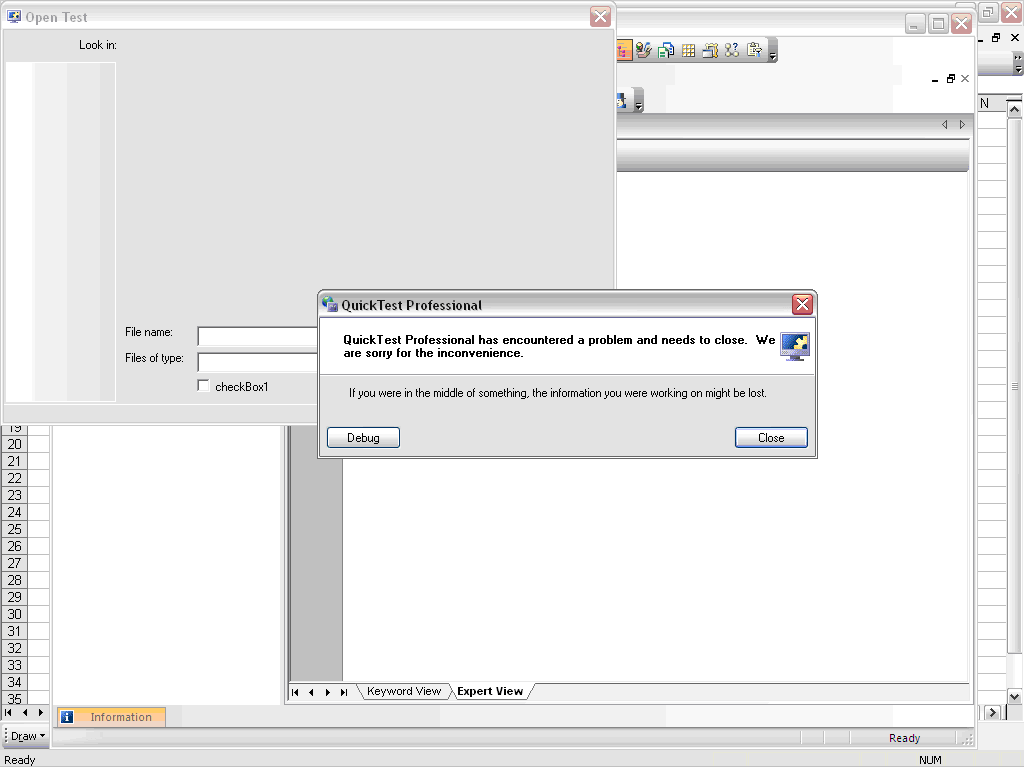


On Debug


Error with Function

Error while using a function whose definition was not available in Action


Unable to work with IE

Unable to recognize IE window; had to restart the browser


General Run Error

There have been multiple instances of General Run Error with QTP; they just don’t let u know as to what went wrong. On such instance is when I was mistakenly trying to check a check box which was disabled. Instead of General Run Error, there could have been a more comprehensible error like – “object is disabled…”


Comments

Popular posts from this blog

Selenium Tutorial: Ant Build for Selenium Java project

Ant is a build tool which could be used to have your tests running either from command line or from Hudson CI tool. There is detailed documentation available for ant here but probably you need to know only a little part of it for you selenium tests. The essentials which are needed to know are: Project Target (ant execution point and collection of tasks) Tasks (could be as simple as compilation) And there would usually be following targets for Selenium tools - setClassPath - so that ant knows where you jar files are loadTestNG - so that you could use testng task in ant and use it to execute testng tests from ant init - created the build file clean - delete the build file compile - compiles the selenium tests run - executes the selenium tests Here is my project set up for ant -

Using xPath to reach parent of an element

Note: If you are new to java and selenium then start with selenium java training videos .   I prefer css locator over xPath but there are times when css locators don't fit requirement. One such requirement is when you want to navigate to parent element of an element and may be parent of parent and even more. Unfortunately css locators don't provide any mechanism to navigate to parent of an element. See this for more. Of late I came across a scenario when I wanted to click on a link depending upon the text in a text box. Herein parent of text box and parent of link were at the same location. More over there could have been many such combinations in application. Fortunately I just need to pick first such instance and Web Driver any way considers only first instance when multiple locators are found matching an element. Element in question is in following html - Here I need to click on highlighted anchor on the basis of input element (which is also hig...

Verify email confirmation using Selenium WebDriver

Note: If you are new to java and selenium then start with selenium java training videos .   How to Verify Email Confirmation Using Selenium 4 and JavaMail (2026 Guide) Email confirmation is a critical part of most registration flows — account activation, password reset, multi-factor authentication, and onboarding. Every automation engineer eventually faces the same challenge: How do you verify an email confirmation link inside a Selenium test without making it slow and flaky? The wrong instinct is to automate Gmail's UI with Selenium. It's fragile, slow, and breaks constantly. The right approach: Use Selenium for browser automation Use JavaMail (IMAP) to read the email directly Extract the confirmation link Continue the test in Selenium Why Not Automate Gmail UI With Selenium? Automating the Gmail UI means logging in, searching, clicking a message, and parsing content from a third-party interface that changes frequently. This leads to: Flaky...